

Download Wubi – install Ubuntu, dual-boot Linux, Linux for beginners, free Linux, Wubi installer
Overview
Wubi is a specialized tool designed to help users explore the world of Linux without the need to commit to a full system change. It enables the installation of Ubuntu, a popular open-source operating system, directly within the Windows environment. This approach allows users to experience Ubuntu’s interface, applications, and performance while retaining full access to their existing Windows setup. The primary purpose of Wubi is to lower the barrier to entry for those curious about Linux but hesitant to risk their current system configuration.
For individuals new to open-source computing, Wubi serves as a safe and accessible gateway. It solves the common problem of fear associated with dual-booting—where users worry about data loss, complex partitioning, or system instability. With Wubi, Ubuntu is installed as a file within the Windows file system, eliminating the need for manual disk partitioning. This makes it ideal for students, developers, and tech enthusiasts who want to experiment with Linux without altering their primary operating system.
Although the developer, Ubuntu, is well-known in the open-source community, specific details about the tool’s development timeline or technical architecture were not provided. The app was released in May 2010 and remains a notable entry in the history of Linux accessibility tools. Its significance lies in democratizing access to Linux for beginners, offering a low-risk environment to learn, test, and compare operating systems. Wubi continues to be referenced as a foundational solution for those seeking to transition into Linux-based computing.
Key Features & Functionality
- Seamless Integration with Windows – Wubi installs Ubuntu as a regular file within the Windows system, allowing users to run Ubuntu from within their existing OS. This integration ensures that no changes are made to the disk partitioning, preserving the original Windows setup.
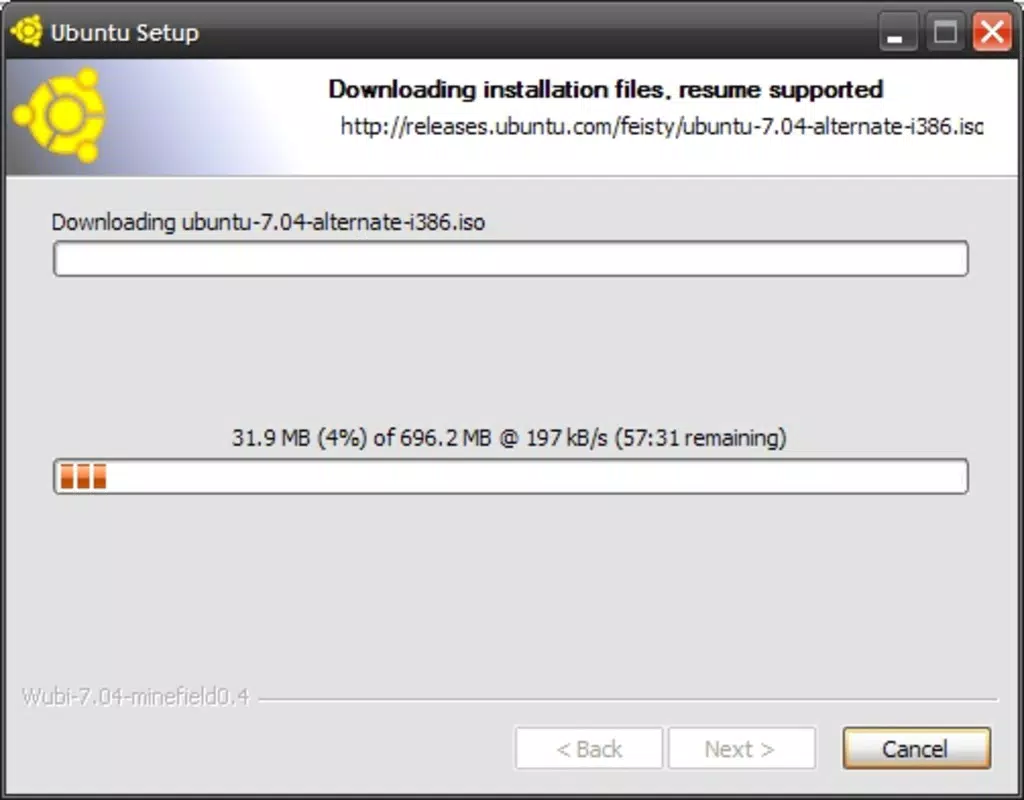
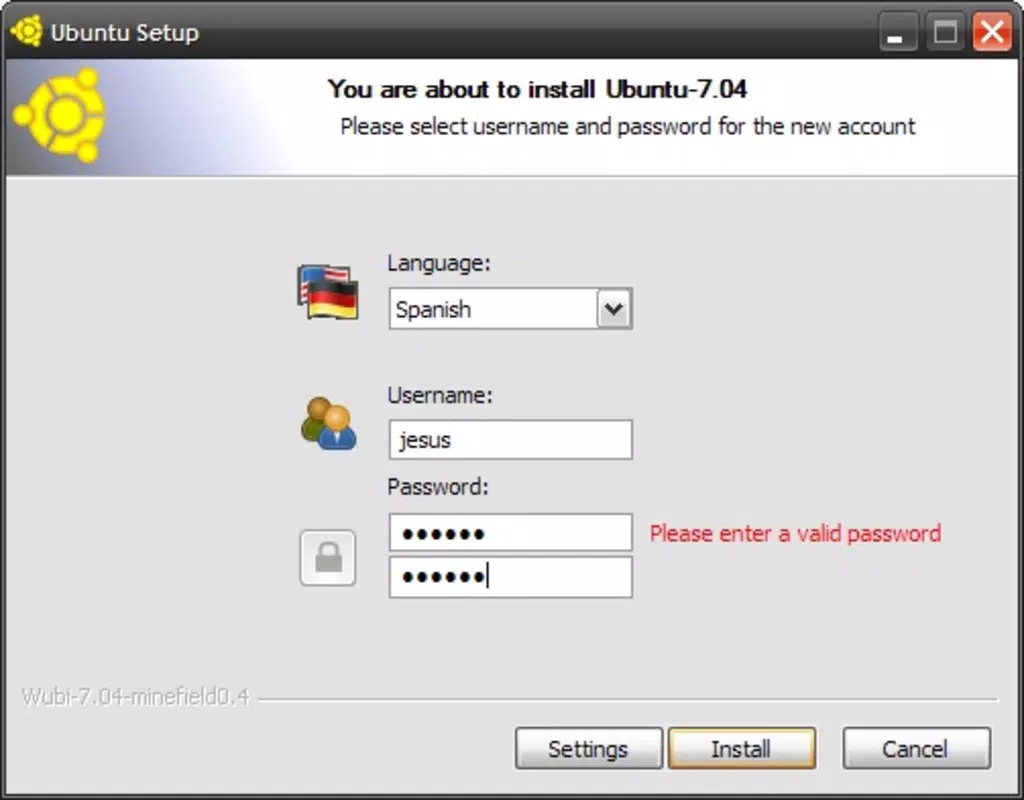
- Effortless Installation Process – The installation follows a guided wizard that walks users through selecting installation location and system settings. The process is designed to be intuitive, resembling the installation of any standard Windows application.
- Dual-Boot Capability – After installation, a boot menu appears at startup, allowing users to choose between Windows and Ubuntu. This feature enables easy switching between operating systems without requiring technical expertise.
- Safe and Reversible Uninstallation – If users decide Ubuntu is not suitable, Wubi allows for complete removal through the standard Windows Control Panel. The entire Ubuntu environment is uninstalled without leaving behind system clutter or configuration errors.
- Low-Risk Exploration of Linux – Wubi provides a sandboxed environment where users can test Ubuntu’s desktop environment, software repository, and community support without altering their primary system.
For example, a student exploring programming might use Wubi to access Ubuntu’s terminal, package manager, and development tools while continuing to use Windows for coursework. Similarly, a hobbyist interested in open-source software can test applications like LibreOffice, GIMP, or Blender without disrupting their current workflow. The tool’s ability to simplify a complex task—installing a new OS—makes it a valuable utility for learning and experimentation.
Interface, UX & Performance
Wubi’s user interface is minimal and focused on the installation workflow. It presents a clean, step-by-step wizard that avoids overwhelming users with technical jargon. The design prioritizes clarity and ease of use, making it accessible even to those with limited technical experience.
Navigating through the installation process is straightforward, with clear prompts and visual indicators. Users are guided through selecting the installation location, setting user credentials, and configuring system preferences. Although the developer did not list formal performance metrics, the tool is designed to operate efficiently within the constraints of a Windows environment.
Performance varies depending on the host system’s hardware. On modern devices, the dual-boot experience is generally smooth, with responsive boot times and stable operation. However, on older or low-resource systems, performance may be impacted due to the overhead of running a virtualized OS environment. The tool’s stability is generally reliable during installation and boot, though no specific information was provided about crash rates or long-term reliability.
Although the developer did not list formal performance metrics, the tool is designed to operate efficiently within the constraints of a Windows environment. Users can expect a consistent experience across different device categories, provided the system meets basic requirements.
Platform Compatibility & Technical Requirements
Wubi is designed to run exclusively on Windows operating systems. It supports a range of Windows versions, although specific compatibility details were not disclosed by the developer. The application requires a minimum of 250 MB of free disk space for installation, with additional space needed for the Ubuntu system files.
The software version is listed as 1.0, indicating a stable release. The file size is 250 MB, which is relatively compact for an OS installer. The app is available at no cost, making it accessible to a broad audience. The developer did not specify minimum OS requirements or hardware specifications beyond the file size.
Compatibility information was not fully disclosed, and the tool’s availability on newer Windows versions or future updates remains unclear. Users are advised to verify system compatibility before attempting installation. The developer did not provide information on support for ARM-based systems or alternative platforms.
Pros and Cons
Pros
- Simple, guided installation process ideal for beginners
- Allows dual-booting without complex partitioning
- Safe to use—no risk to the primary Windows system
- Easy to uninstall through standard Windows tools
- Free to download and use
Cons
- Specific system requirements were not listed
- Developer did not provide compatibility details for newer Windows versions
- Performance may vary on low-end hardware
- Not available for platforms other than Windows
- Support and updates are no longer actively maintained
FAQ
Is Wubi safe to use on my Windows system?
Yes, Wubi is designed to install Ubuntu within the Windows file system, minimizing the risk of data loss or system instability. The original Windows installation remains intact during and after the process.
Can I uninstall Wubi and Ubuntu later?
Yes, Wubi allows complete removal of Ubuntu through the standard Windows Control Panel, similar to uninstalling any other application. No residual files or system changes are left behind.
Do I need to partition my hard drive to use Wubi?
No, Wubi does not require manual partitioning. It installs Ubuntu as a file within the Windows system, eliminating the need for complex disk management.
Is Wubi still supported by Ubuntu?
Wubi was discontinued after 2013. While the original version remains available for download, it is no longer actively maintained or updated by the Ubuntu team.
Can I use Wubi on Windows 10 or Windows 11?
Although Wubi was originally designed for older Windows versions, its compatibility with Windows 10 and 11 is uncertain. The developer did not provide official support details for these systems.
Final Thoughts
Wubi remains a pioneering tool in the journey toward Linux adoption. Though no longer actively developed, it continues to serve as a valuable resource for users interested in exploring Ubuntu without the risks associated with traditional dual-boot setups. Its simplicity, safety, and ease of use make it a standout choice for beginners and casual users alike.
For anyone seeking to learn about open-source computing, test Linux applications, or experiment with a new desktop environment, Wubi offers a low-stakes entry point. The ability to install, use, and uninstall Ubuntu seamlessly within Windows makes it a practical and secure solution.
While modern alternatives now exist, Wubi’s legacy endures as a symbol of accessibility in the tech world. If you’re curious about Linux and want a hassle-free way to get started, Wubi is still worth considering.
Download Wubi now


